
Download 8hands – Free Social Media Organizer for Windows, Mac, Android & iOS
Tired of juggling multiple social media accounts across Facebook, Twitter, YouTube, Instagram, and more? 8hands is the ultimate social media management tool designed to simplify your online presence. With a sleek interface, powerful automation, and real-time notifications, 8hands helps you stay connected, organized, and productive. Whether you're a content creator, marketer, or casual user, this secure software streamlines your digital life by consolidating all your social networks into one intuitive dashboard. From scheduling posts to syncing content and tracking engagement, 8hands is your all-in-one solution for managing online activities efficiently.
Key Features of 8hands – The Smart Way to Manage Your Social Media
8hands redefines how users interact with their online presence by combining automation, organization, and real-time insights into a single platform. One of its standout features is the Smart Sync technology, which automatically updates your content across multiple platforms—ensuring consistency without manual effort. Whether you're posting a new blog link, uploading a YouTube video, or sharing a photo from Flickr, 8hands ensures it appears seamlessly across your connected networks.
The drag-and-drop content sharing feature is a game-changer for users who want to distribute content quickly. Simply drag a video, image, or link from your desktop and drop it into 8hands to publish it instantly across all linked profiles. This eliminates the need to manually copy and paste across platforms, saving valuable time and reducing errors.
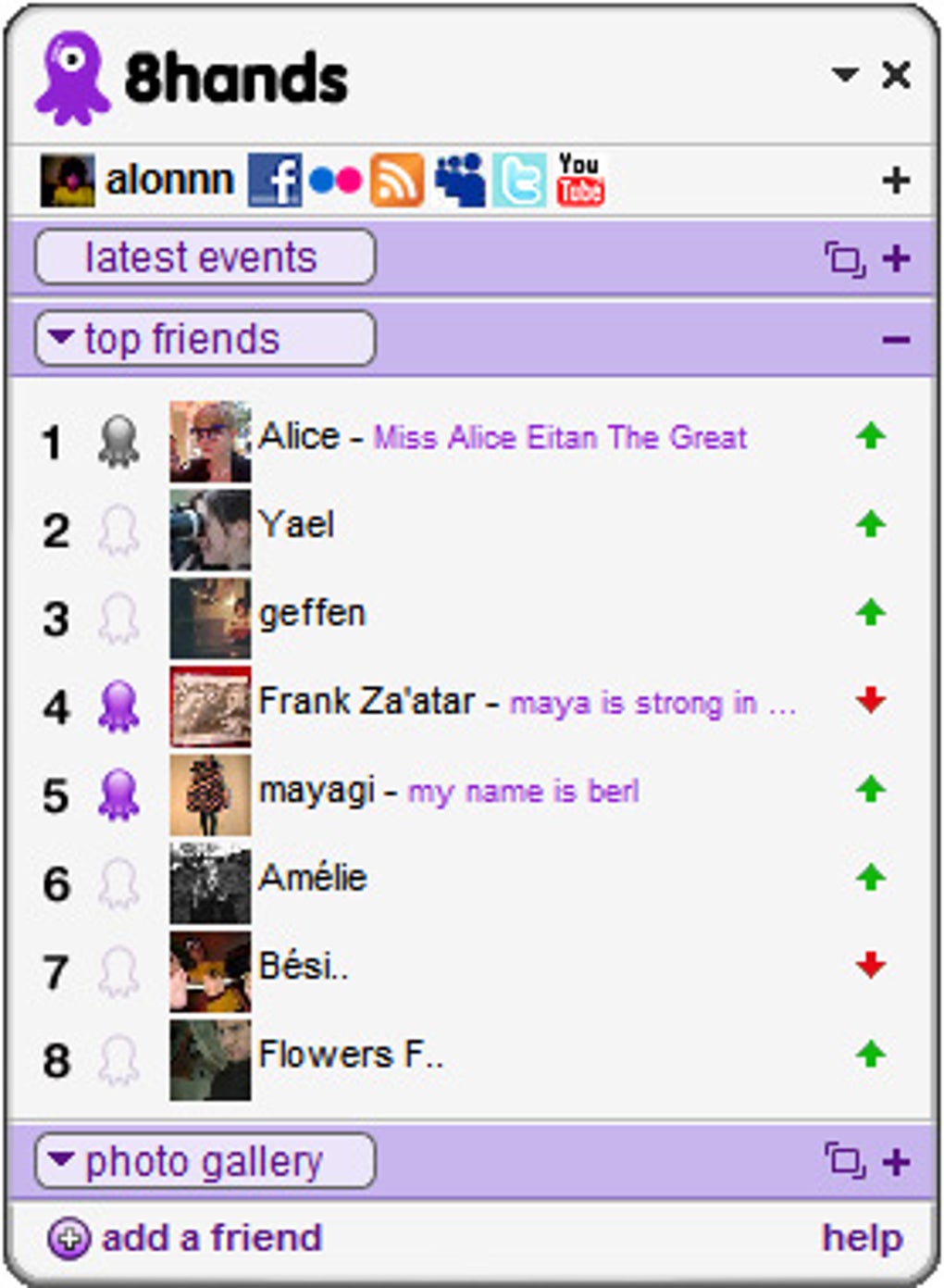
Another powerful feature is the centralized activity dashboard. 8hands aggregates data from Facebook, Twitter, YouTube, MySpace, Flickr, and personal blogs, providing a unified view of your social activity. You’ll see real-time stats like the number of friends, recent posts, likes, comments, and friend requests. This overview helps you stay informed without constantly switching between apps.
With instant notifications, you’ll never miss a message, comment, or friend request. Whether it’s a DM on Twitter or a new video upload from a friend, 8hands alerts you immediately—keeping you engaged and responsive. For content creators, the post scheduling tool allows you to plan and publish content in advance, ideal for maintaining a consistent online presence.
8hands also supports cross-platform sync, meaning your settings, schedules, and content are accessible from Windows, Mac, Android, and iOS devices. This makes it perfect for users on the go who need to manage their social media from multiple devices.
- Smart Sync – Automatically publish content across multiple platforms
- Drag-and-drop sharing – Instantly share videos, images, and links
- Centralized dashboard – View all social activity in one place
- Real-time notifications – Never miss messages or updates
- Post scheduling – Plan and automate content delivery
- Multi-device sync – Access your account from Windows, Mac, Android, iOS
How to Install and Use 8hands – Simple Setup, Fast Results
Getting started with 8hands is quick and straightforward, making it accessible even for users with minimal tech experience. First, visit the official website and download 8hands for free. The installer is lightweight and compatible with Windows 10/11, macOS 10.14 and later, Android 8.0+, and iOS 12+. Once downloaded, run the installer and follow the on-screen prompts—installation takes less than 2 minutes.
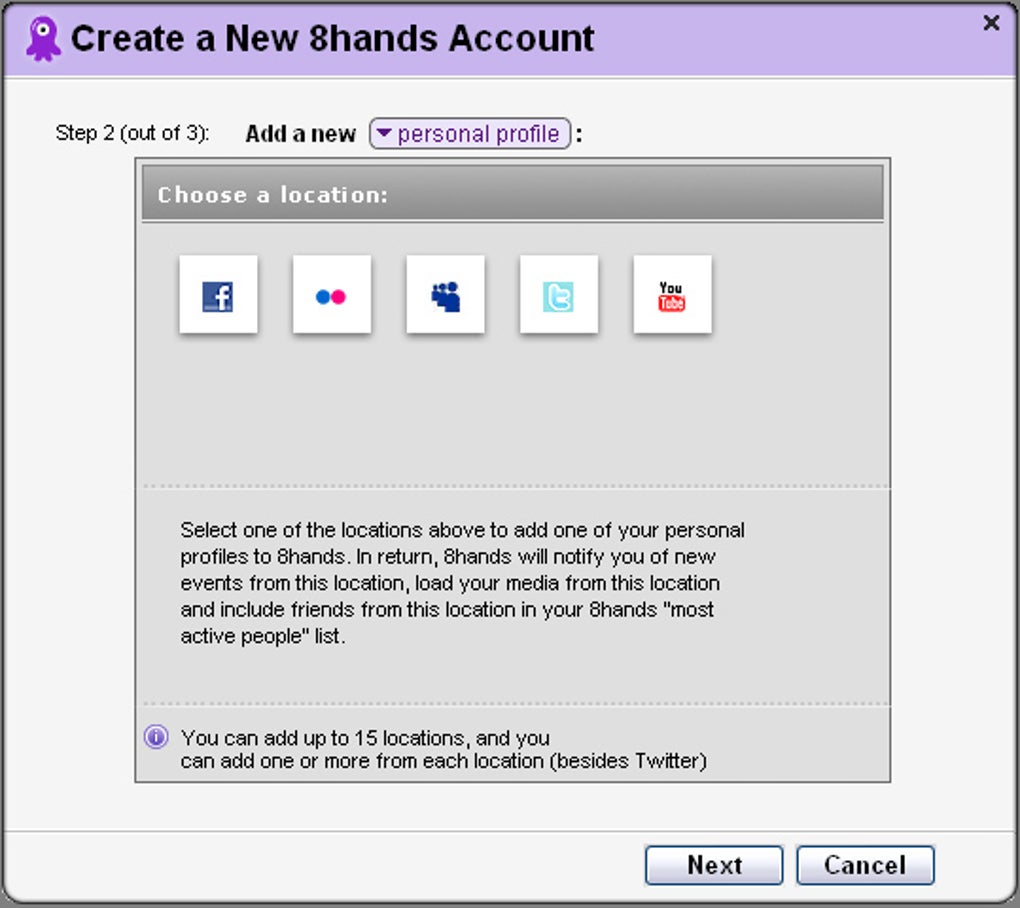
After installation, launch the app and sign in using your existing social media credentials. 8hands supports OAuth authentication, which means your passwords are never stored on their servers—ensuring a secure login process. During setup, you’ll be prompted to connect your accounts: Facebook, Twitter, YouTube, Instagram, Flickr, and personal blogs. The connection process is smooth and requires just a few clicks.
Once connected, the dashboard appears with your unified social feed. You can begin organizing your content immediately. To share a video, simply drag it from your desktop into the 8hands window and select the platforms you want to publish it on. The app will handle the rest. For scheduled posts, click the “Schedule” tab, choose your desired date and time, and confirm.
Customize your notification preferences under the “Settings” menu. You can choose to receive alerts for new messages, friend requests, or comments on your posts. The app also allows you to set up custom filters so you only get notified about content that matters to you.
For users managing multiple profiles (e.g., personal and business), 8hands supports multiple account logins within the same app. This is especially useful for marketers and influencers who need to switch between accounts seamlessly.
Regular updates are pushed automatically to improve performance, add new features, and enhance security. The app checks for updates in the background, ensuring you always have the latest version without manual intervention.
Compatibility & System Requirements – Works Across All Devices
One of the biggest strengths of 8hands is its cross-platform compatibility. Whether you’re using a Windows PC, Mac laptop, Android smartphone, or iOS tablet, you can access your social media management tools with ease. This flexibility makes 8hands ideal for users who work across multiple devices throughout the day.
The software is optimized for performance, with minimal impact on system resources. On Windows and Mac, it uses less than 50MB of RAM during idle mode and under 100MB when syncing content. This ensures smooth operation even on older machines.
For mobile users, the 8hands app is available on the Google Play Store and Apple App Store. The mobile version includes all core features—content sharing, notifications, and scheduling—though some advanced tools are available only in the desktop version.
Supported operating systems include:
- Windows: 10, 11 (64-bit)
- macOS: 10.14 Mojave and later
- Android: 8.0 Oreo and above
- iOS: 12 and later
8hands also supports integration with popular tools like WordPress, Blogger, and RSS feeds, making it a versatile choice for bloggers and digital creators. The app is regularly updated to maintain compatibility with evolving social media APIs, ensuring long-term reliability.
Pros and Cons of Using 8hands – Honest Review
Pros
- Centralized Dashboard – View all your social activity in one place, reducing time spent switching between apps.
- Smart Sync Automation – Save hours by syncing content across platforms automatically.
- Drag-and-Drop Simplicity – Share content instantly without complex workflows.
- Real-Time Notifications – Stay updated on messages, comments, and friend requests instantly.
- Multi-Device Access – Use on Windows, Mac, Android, and iOS with synchronized data.
- Secure & Privacy-Focused – Uses OAuth and never stores your passwords.
Cons
- Limited Advanced Analytics – While basic stats are available, in-depth performance reports are not included.
- Mobile App Missing Some Features – Advanced scheduling and content planning are desktop-only.
- Dependent on Platform APIs – Occasionally affected by changes in social media platform policies.
- Free Version Has Limits – Some features require a premium subscription.
Frequently Asked Questions (FAQ)
Final Verdict: Is 8hands Worth It?
If you're overwhelmed by the chaos of managing multiple social media accounts, 8hands is a must-try solution. Its intuitive design, powerful automation, and seamless integration make it one of the best social media organizer tools available today. Whether you're a content creator, small business owner, or just someone who wants to stay connected without the stress, 8hands simplifies your digital life.
The free download offers a solid foundation, and the premium upgrade unlocks advanced features for serious users. With regular updates, strong security, and excellent cross-platform support, 8hands stands out as a reliable and future-proof choice.
Don’t let fragmented social media management slow you down. Download 8hands today and take control of your online presence with confidence.







